
On This Page
Table of contents
On This Page
Table of contents
This is my review of the best 60 percent keyboards (60%), updated for 2023!
Sure, number pads and function keys are great—but who doesn’t LOVE a sleek, portable, amazing-looking compact keyboard?
BUT…if you don’t do your homework for a 60% keyboard, you could end up missing out on the standard functionality of a keyboard (and you’ll likely end up NOT using it).
We’ve found the Ducky One 2 Mini is probably the best 60% keyboard for your money, based on features, build quality, connectivity, and mechanical switch options.
But there are several other cool options, depending on the features you want!
Our best 60% mechanical keyboards:
- Best Overall: Ducky One 2
- Best Wireless: Anne Pro 2
- Best Budget: Royal Kludge RK61
- Best for Mac: Keychron K12
- Best Low-Profile: Fnatic Streak65
- Kemove Shadow/Snowfox
- Razer Huntsman Mini
- Drop Alt
- GMMK
First, what is a 60% keyboard?
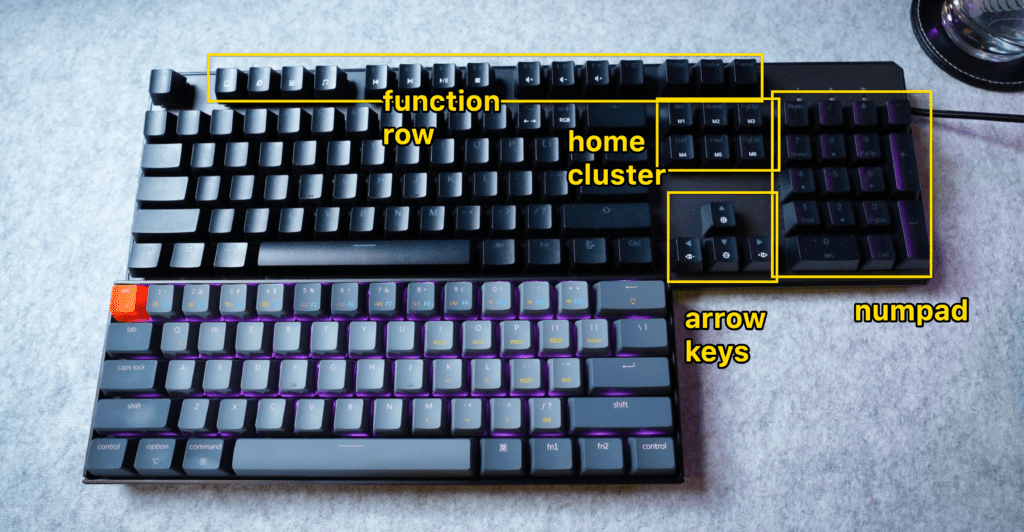
A 60% keyboard is a compact mechanical keyboard that is smaller in size than a full-sized 100% keyboard.
These typically do not have…
- A function row
- Arrow keys
- A numpad
- A “home cluster” (delete, home, end, page up, etc)
As a result, 60% keyboards have a more streamlined look and can be more convenient to transport. (ALSO, these keys ARE accessible, usually typed via a Function key shortcut, etc).
Although it’s rare to find a 60% keyboard with arrow keys, they do exist! The Dierya 60% keyboard has one, as do most 65% layouts like the RK68 or Keychron K6.
What Are the Pros and Cons of 60% Keyboards?
Since it is such a small keyboard, there will always be trade-offs!
✅ PRO - Portability
If you’re sick of lugging around a bulky keyboard, it might be time to switch to a compact keyboard. Compact keyboards are much smaller and lighter than full-sized keyboards, making them much more portable. They’re also great for travel, since they can easily fit into a backpack or carry-on bag.
✅ PRO - Easy to tilt or reposition your keyboard
Many gamers (and actually anybody who uses a computer) prefer to reposition their keyboard for better ergonomics! With a smaller keyboard, it’s much easier to do this.
✅ PRO - More desk space (and better mouse position)
With a smaller keyboard, you’ll have more desk space for other things like your mouse, monitors, etc. Not only will provide a cleaner, more minimal look—but it’ll free up more space for well—anything!
✅ PRO - 60 percent keyboards are easy to find!
They are becoming more and more popular, so it’s easy to find one that fits your needs. There are plenty of different manufacturers, styles, etc—even on Amazon.
AND—this makes it easier to find accessories, such as 60% keycap sets, 60% desk mats, etc!
❌ THE ONLY CON - They’re slightly more inconvenient to use
You don’t have a numpad. Or arrow keys or functions keys.
While you CAN type the arrow keys, function keys, etc—(via Fn key shortcuts, etc)—there’s a learning curve to that, and it’s not always easy!
Most 60% keyboards will come with documentation for their specific hotkeys, shortcuts, etc, and some even come with keycaps that have the shortcuts printed on them!
This can be handy (but it’s STILL going to take some getting used to—if you’re used to using function keys, arrow keys, etc).
Best Overall: Ducky One 2 Mini
✅ PROS:
- Wireless
- Interactive touch panel
- Decent Cherry MX switch options
- Comes with a cover case
- Arrow keys and 4 “home cluster” buttons
❌ CONS:
- A bit pricey
- Not hot-swappable
Want to quickly adjust volume, customize shortcuts for app-switching, etc, etc? RIGHT ON the keyboard?
The Asus Falchion has a cool little touch menu on the side of the keyboard (and it lights up and looks cool).
Add to that the typical 65% features (arrow keys, home, end, delete, etc), and this is a pretty functional compact keyboard. Asus generally makes great products and has a lot more customer support than these other, smaller companies.
You can grab a Falchion with a few different Cherry MX switch options, as well as some “NX” red, brown, or clicky blue options.
Also, the touch panel has a windows-lock key—meaning you don’t have to worry about accidentally hitting the windows key while gaming, etc.
A few other cool 60% keyboard picks:
Razer Huntsman Mini
✅ PROS:
- Different keycap color options!
- Benefits from the Razer software—if you’re into that
- Optical switches (also a con maybe)
❌ CONS:
- Optical switches (could be a pro)
- Wired only
- Not hot-swappable
If you’re into Razer gear—this is a great pick. Razer software is VERY powerful and customizable.
The optical switches will feel very similar to mechanical switches, and they’re supposedly faster (though let’s be real…you’re not gonna notice a difference in speed between an optical switch and a mechanical one.)
Glorious GMMK (compact version)
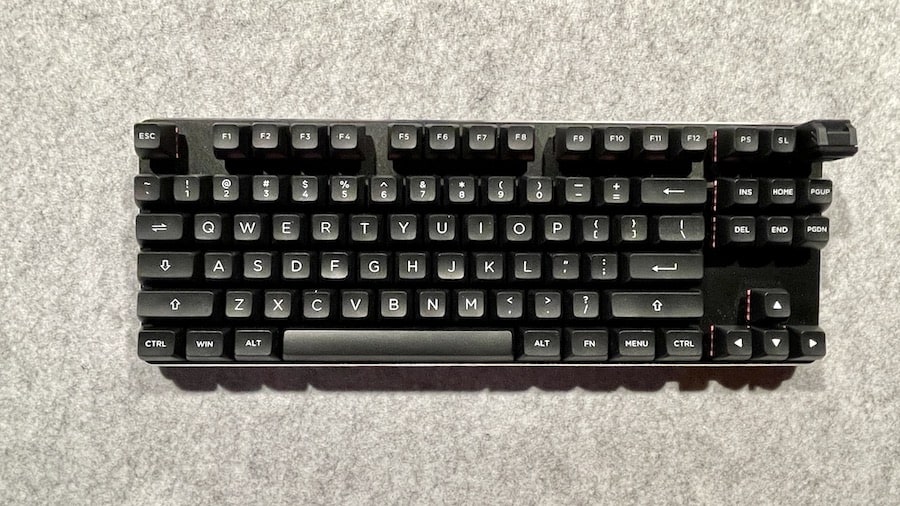 TLK size: My GMMK!
✅ PROS:
- Hot-swappable
- Kinda-sorta low-profile
- I love the design
- You can purchase pre-built or barebones!
❌ CONS:
- Wired only
- A tad pricey for what you get
GMMK makes their “original” keyboard in 3 different sizes:
- 100% full-sized
- 80% TKL
- 60% compact
I have the 80% TKL version, and I like it! But for the price, you can generally get more features with the Ducky One 2, etc.
Kit Adam Lego Keyboard Kit
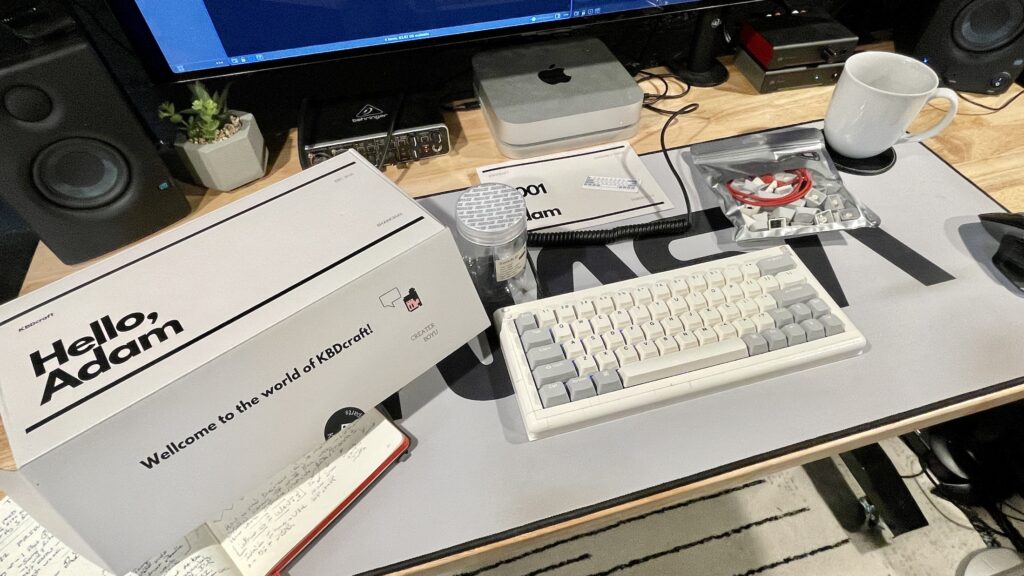 kit adam included contents
The Kit Adam is a REALLY fun “Lego” brick build, and it sounds surprisingly good, too!
And it’s insanely affordable ($69 for the base kit, and $99 for the full kit that includes their S2 Engine switches and keycaps). Here’s my full review of the Kit Adam keyboard kit.
Drop Alt
✅ PROS:
- Well-built
- Sleek design!
- Cool switch options
- Hot-swappable
❌ CONS:
- Really pricey
- wired only
The Drop keyboards are definitely pricey, but man are they good-looking! The Drop Alt is a 65% layout, with a few different switch options (Cherry MX, Kailh Box options, as well as Halo Clears.
You can also customize the keycap setup from the Drop website (for a bit extra). If price isn’t an option and you like the design, go for it!
(Personally, I’d choose the Ducky One 2 or the Keychron K12)
DIY Custom 60% keyboard kits
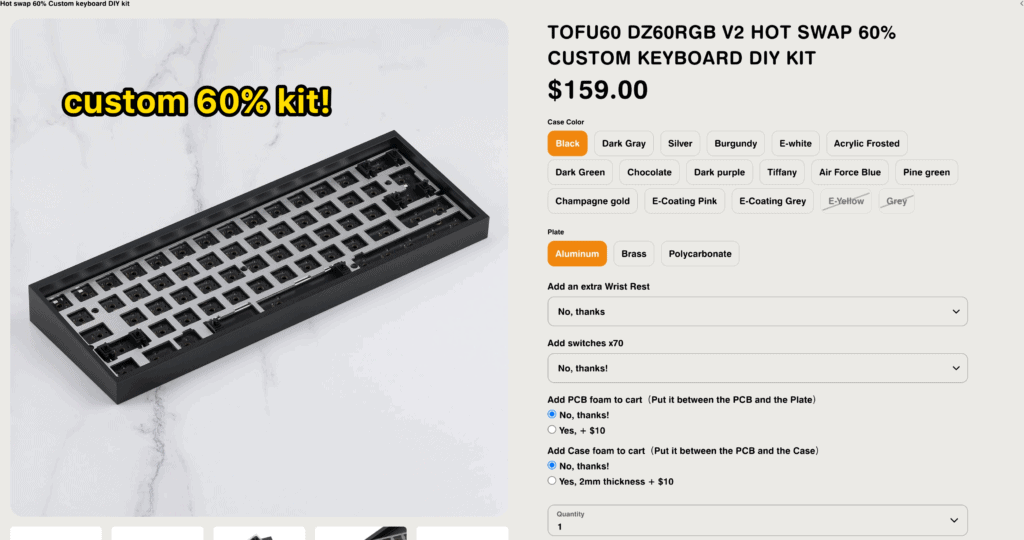
If you’re willing to do a bit more work (super fun work though!), you can always purchase a custom keyboard kit!
These kits usually come with all the parts of the keyboard (except switches and keycaps, you’ll have to purchase those separately), and you’ll generally follow a build guide to assemble your custom keyboard.
Obviously, this allows for more customization—AND you can usually pick and choose your features!
- If you want a wireless keyboard, get a kit with a wireless PCB
- If you want hot-swappable options, get a hot-swappable PCB
- etc
me building a custom 65% keyboard
Most of these custom kits start around $150 and go up—and that doesn’t include switches or keycaps. So yeah, it’ll cost more—BUT you’ll generally wind up with a MUCH more premium keyboard!
- Better sound
- Better feel
- 100% customizable look
Click here to read: how to build a custom mechanical keyboard from scratch.
60 vs 65 keyboard: What’s the difference?
While both 60% and 65% are both compact keyboard sizes that lack a function row and number pad, the 65% size still has dedicated arrow keys, as well as a few (4) “home cluster” keys, such as Home, Delete, Page Up, or Page Down.
Which keys are included differ from keyboard to keyboard, but they’re usually situated on the right side of the keyboard, making 65% keyboards slightly wider (longer) than compact 60% keyboards.
Related reading: How Many Keys Are on a 60% Keyboard?
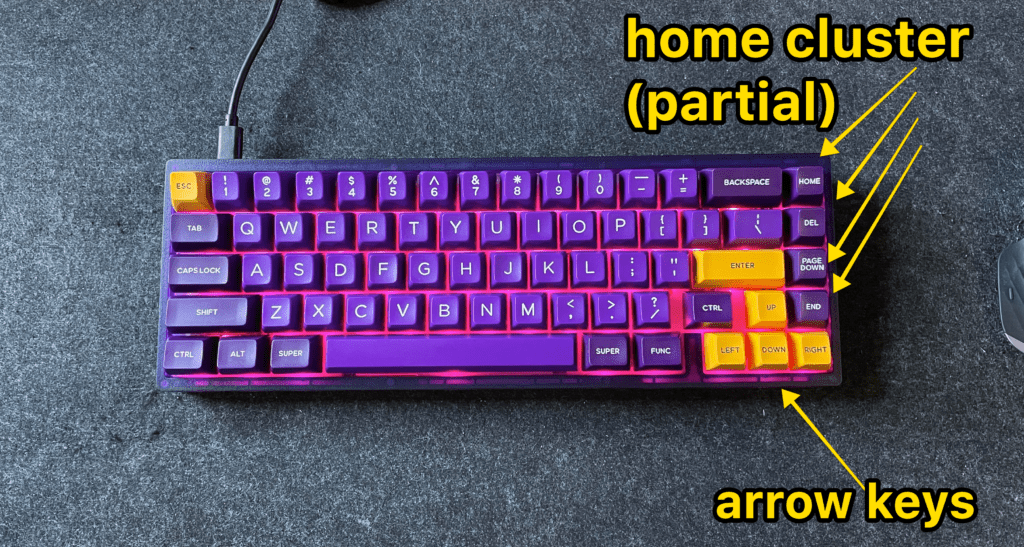 my KBD67 is a 65% keyboard
60% Keyboard Frequently Asked Questions:
Is a 60% keyboard good?
A 60% keyboard is a great option for anyone who wants a small, minimalist, and portable keyboard. Because of their smaller size, they’re generally lighter and take up less space on your desk. However, they do have some drawbacks. For example, because they don’t have a numpad or function row (or arrow keys), they can be less functional for some users.
Is 60% or 65% keyboard better?
Ultimately, which keyboard size you choose depends on what you want and need!
While 60% keyboards are more compact and easier to find, they lack some of the features that can be found on a 65% keyboard. Most notably, the arrow keys and home cluster keys are absent on a 60% keyboard, which can make navigation more difficult. In addition, some of the Fn keys may be placed in awkward positions on a 60% keyboard.
However, 60% keyboards have their own advantages. They are more portable and require less desk space.
What Is the best 60 percent keyboard?
The best 60% keyboard is the one that best suits your needs!
You’ll want to consider factors such as price, portability, durability, and design when choosing your keyboard.
Our top pick for the best 60% keyboard is the Ducky One 2, followed closely by the Keychron K12 and Anne Pro 2!
Is a 60 percent good for typing?
A 60 percent keyboard can be a great option for typing! The small size means that you can easily reposition and tilt your keyboard, which means better ergonomics (and therefore, less strain on your wrists and hands). In addition, the lack of a numpad and function keys can actually help you to touch-type (i.e. not looking down at the keyboard, since your hands will rarely change positions on a 60% keyboard).
What is the fastest 60 percent keyboard?
Even though you can generally make any mechanical keyboard “fast,” (by swapping in some linear or speed switches), the Fnatic Streak65 gets our vote for the “fastest” 60 percent keyboard.
The Streak65 has optical switches specifically built for speed and gaming (and has plenty of other features to boot). However, it’s worth noting that any speed increase is a TINY improvement! Most people won’t be able to notice the difference.
Conclusion: 60% keyboards are sleek & awesome.
Screw the numpad! We’re after an awesome-looking battlestation w/ improved ergonomics and portability!
We highly recommend the following tried-and-tested 60% keyboards:
- Ducky One 2: A great overall keyboard at a medium price point
- Keychron K12: Great for Mac and Windows users alike (and hot-swappable)
- Anne Pro 2: A community favorite!
- RK61: The best budget-friendly pick!
Wanna go even SMALLER with your keyboard? Click here to see our best 40% mechanical keyboards!