The 7 Best Mechanical Keyboards for Mac [2023]

![The 7 Best Mechanical Keyboards for Mac [2023]](/images/best-mechanical-keyboards-for-mac/featured.png)
On This Page
Table of contents
On This Page
Table of contents
Mac users rejoice! 🍎
As a long-time Mac user, I’m proud to say that there are TONS of mechanical keyboards that work great for Macs!
But since most keyboards aren’t SPECIFICALLY made for macOS, we’ve done our best to categorize these recommendations to help you find the right keyboard!
Here are our top 3 best mechanical keyboards for Mac:
By the way, you don’t actually need a keyboard that is built for macOS. You can make just about ANY keyboard work!
We have instructions on that below…
How the keyboards are ranked:
I’ve tried 30+ keyboards and ranked them based on several factors including the cost, whether they have a wireless option, whether they include Mac modifier keycaps, whether they are hot-swappable and how it works with a Mac computer.
Cost
I’ve included a specific category for the best budget keyboard for Mac for people on a budget. The cost isn’t factored into the other categories as much because the price differences between the options aren’t a lot.
Wireless
Most keyboards on this list are wired but some also have a wireless option (which can be important if you move your keyboard or travel with it)
Hot-swappable
Hot-swappable keyboards allow you to easily change the switches without de-soldering (makes it more convenient to make customizations.)
Includes Mac modifier keycaps:
This may be an important feature for you if you really want the keycaps to have the exact same labels as Mac keys, such as command, rather than the control/windows keycaps even though they do the same function. Only Keychron keyboards come with the Mac modifier keycaps.
How it works with Mac:
Some keyboards have a physical toggle on the keyboard that switches between Mac or PC compatibility, while others have software settings on your computer. Keychrons are the only keyboards that currently include the toggle.
Best Mechanical Keyboards for Mac
Now that you know how I ranked the keyboards, here are the details for our best picks in each category. Find the best one for you based on whether you’re looking for the overall best, the best low-profile, the best budget, the best full-sized, or the best custom-from-scratch mechanical keyboard.
Best Overall: Keychron K2
- Cost: 🟡 $170
- Wireless? ❌ no
- Includes Mac modifier keycaps? ❌ no
- Hot-swappable? ✅ yes
- How it works with Mac: settings on computer
Would you rather build a custom mechanical keyboard?
- Gasket-mounted PCB?
- Preinstalled Glorious screw-in stabilizers with factory lube?
- Rotary encoder media knob?
GMMK PRO is a custom built, 75% TKL keyboard in the ultra-premium category.
NOTE: This keyboard does NOT come with switches or keycaps! You’ll need to purchase those separately.
You can also customize this with linear or tactile switches and keycaps on the GMMK site if you wish, but it’s more expensive of course!
There’s also the original GMMK, which I own and love (and GMMKs work perfectly fine on my Mac).
If you want a similar keyboard but done-for-you, you might also like the original GMMK. It comes pre-built with switches and keycaps, and they also offer 100%, 80%, and 60% sizes!
Do You Need to Have a Mac Compatible Keyboard?
No, you don’t necessarily need a Mac-compatible keyboard, as virtually any keyboard that connects via bluetooth or USB can be used with your Mac!
You may prefer to get a Keychron, etc, that’s fully Mac compatible out of the box, and in fact Keychron keyboards literally have a switch that easily flips between Mac and PC compatibility.
But if you don’t mind 5-10 minutes of customization, any mechanical keyboard can fairly easily be made to be compatible with your Mac by adjusting some software and settings on your computer.
The Main Difference Between Mac and Windows Keyboards
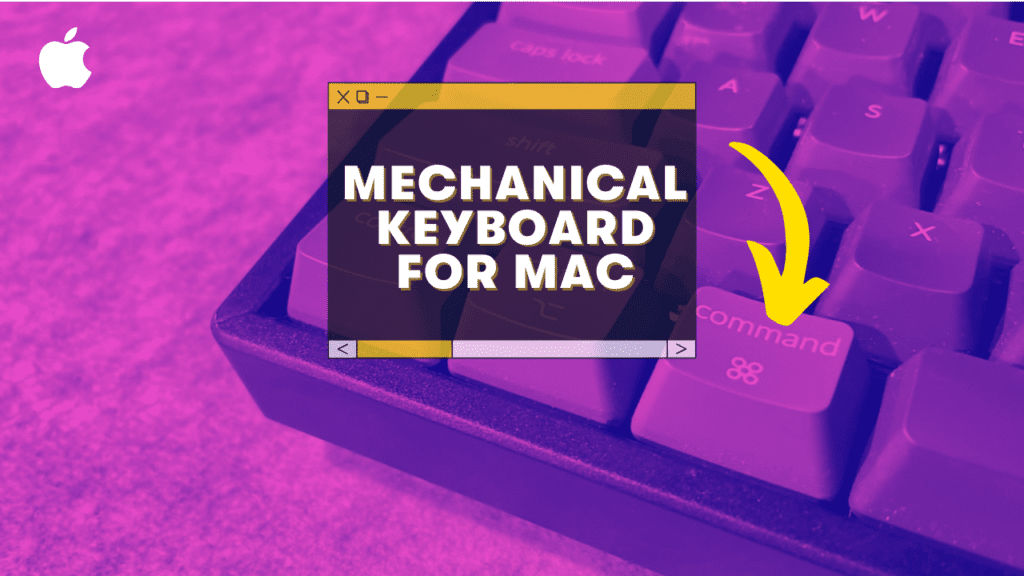
The main difference between Mac and Windows keyboards is that Mac uses the ⌘ Command key while Windows uses the Ctrl key for shortcuts. Although they have different names, they basically function the same.
The alt keys perform slightly different functions between Mac and PC but they both have an alt key.
With a little customization you can technically set up ANY keyboard to work on Mac–but some come with more Mac compatibility out of the box like any Keychron keyboards. (these are the most similar to an Apple keyboard)
If you specifically want the ⌘ Command key then go with a Keychron keyboard, otherwise, choose from any mechanical keyboard!
Why Get A Mechanical Keyboard For Your Mac?
Mechanical keyboards are a great investment for any Mac user. Not only will they improve your typing experience and gaming abilities, but also because you can customize all aspects of your keyboard to fit your needs.
They may cost the same or more but if you want to get the most out of your typing (and gaming) experience then I recommend mechanical keyboards.
A mechanical keyboard will last longer than standard membrane keyboards, and they’re fully customizable so you can choose your own color schemes and typing sounds.
Those are just a couple of reasons why mechanical keyboards are better.
Which Keychron is best for Mac?
The best Keychron for Mac depends mostly on what size keyboard you want to use. Do you want a full-sized keyboard or more compact?
A full-sized keyboard is the best option for people who want a traditional typing experience with a number pad and all the function keys, while a compact keyboard is perfect if you don’t use those keys regularly or want something smaller that’s easy to travel with.
It also depends on whether you want a low-profile keyboard or not. A low-profile keyboard is better for people who want a more streamlined design that’s easier on your wrists. Keychron K1 & K7 are great low-profile options.
Does Apple have a mechanical keyboard?
Nope. Apple keyboards are membrane keyboards (including scissor-switch keyboards), but you can easily make most mechanical keyboards work for your Mac!
Some mechanical keyboard brands, like Keychron, have keyboards specifically with the exact same layout and keys as Apple keyboards but you can still use other keyboards with just a bit of customization.
What gaming keyboards work with Mac?
Most gaming keyboards are compatible with Macs so the best keyboard for Mac depends more on what kind of features you’re looking for.
The Keychron K2 is our top pick for overall best mechanical keyboard for Mac.
If you’re looking for a low-profile keyboard, the K1 is our top pick. The Anne Pro 2 is an awesome budget-friendly keyboard while the GMMK is the best custom from scratch keyboard and the Durgod Taurus K310 is our top choice for a full-sized keyboard.