The 29 Best Mechanical Keyboards, RANKED (For 2023)

On This Page
Table of contents
On This Page
Table of contents
I can honestly say that my LIFE was changed forever…when I accidentally got my first mechanical keyboard.
It was 2019, and I had been using my Macbook Pro’s keyboard for a decade (*shudder).
I was hooked.
Since then, I’ve dedicated my life to helping other people understand mechanical keyboards so THEY can have a life-changing experience at work or at play!
*dramatic, I know.
After testing 50+ keyboards and 100+ switches…
Here are the best mechanical keyboards you can buy for 2023:
NOTE: After the list of keyboards, there’s a quick beginner’s guide in case you’re new to the world of mechanical keyboards!
The Best Mechanical keyboards (Full List)
The following list STARTS with the “best of” for different categories (like gaming, office work, low-profile keyboards, etc).
After that, I simply ranked these keyboards from my personal (mostly unbiased) opinion!
None of these keyboard companies have paid me to include their products here!
Let’s clack 👇
1. Keychron K2 - Most Versatile
In recent years, Keychron has been releasing upgraded, premium versions of their keyboards that include QMK/Via support, a premium feel, and rotary knobs.
Disclosure: I don’t own one of these (yet)!
I think they’re creating these to compete with the GMMK Pro and other barebones premium keyboards.
The cool thing about the Keychron Q series keyboards are the options:
- Gateron Pro switch options
- Barebones or pre-built
- Versions with or without the knob (knob costs more)
- SEVERAL sizes available (60%, 65%, 75%, 80%, and 100%)
Yes, they’re pricey, but they’re built to complete with premium, gasket-mounted keyboards!
And GMK/Via support is amazing (it’s the best way to customize key binds, macros, etc, and really only available on premium custom keyboards).
60-Second Intro to Mechanical Keyboards:
Now that we’ve explored the keyboard list, here’s a quick beginner’s guide (in case you’re shopping for your first keeb!):
What is a mechanical keyboard?
Mechanical keyboards are computer keyboards that use a physical switch underneath each key, rather than the cheap rubber membranes found in most “regular” keyboards.
Membrane keyboards are virtually silent and feel mushy.
Mechanical keyboards feel DRASTICALLY different and are often a bit louder (though this is customizable)!
Me typing on my KBD67 mechanical keyboard
Why get a mechanical keyboard?
Some quick pros and cons for you 👇
PROS ✅
CONS ❌
Improved feel & comfort
More expensive than normal keyboards
better typing accuracy & speed (probably)
Some people prefer the sound & feel of membrane keyboards
HIGHLY customizable(!)
Heavier than normal keyboards
Fun designs & colors
More durable & last longer than membrane keyboards
Can become a fun and rewarding hobby!
What’s up with the switch colors?
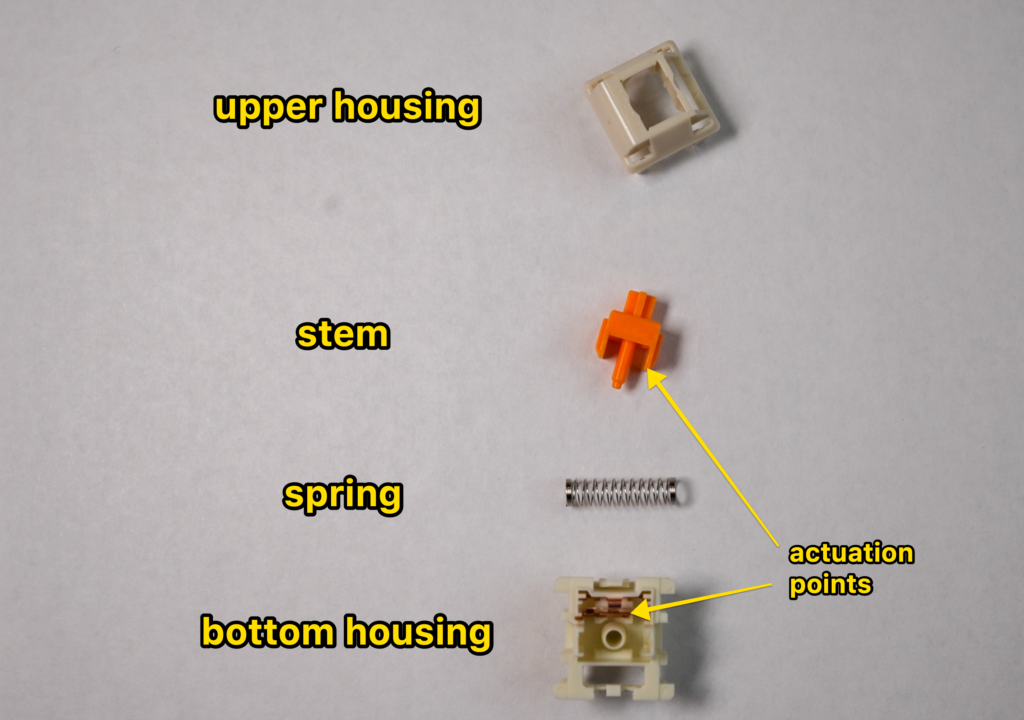 I took apart one of the switches underneath a keycap!
Mechanical switches are what makes mechanical keyboards special, and these removable switches come in a wide variety of sound, feel, and design!
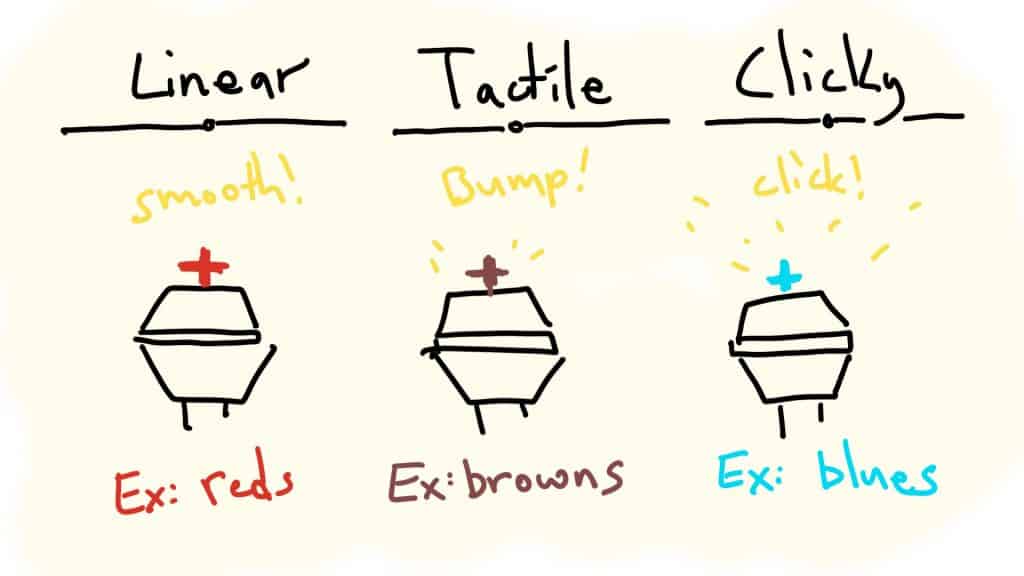
Here are the three basic types of switches:
- Linear: The simplest type. Pressing them is a straight, smooth path from the top to the bottom. There’s no tactile or auditory feedback when you press them, and they require the least amount of force to actuate.
- Tactile: These switches provide a tiny “bump” when you press them (generally around the actuation point). This “tactile feedback” helps your fingers feel when the key has actually been registered.
- Clicky: These are a sub-type of tactile switches. There’s the tiny bump, but with a small audible “click.” These are generally louder.
They also make silent switches (which have sound-dampening inside), as well as “speed switches,” which have a slightly smaller travel distance.
Click here to read our full guide to mechanical switch colors.
How to upgrade any mechanical keyboard
No matter what keyboard you get, there are a few different ways to upgrade your desk & keyboard experience:
Dest Mats
Desk mats not only look cool (they come in all SORTS of cool colors & materials), but they also dampen the desk sound (making your KEYBOARD sound better).
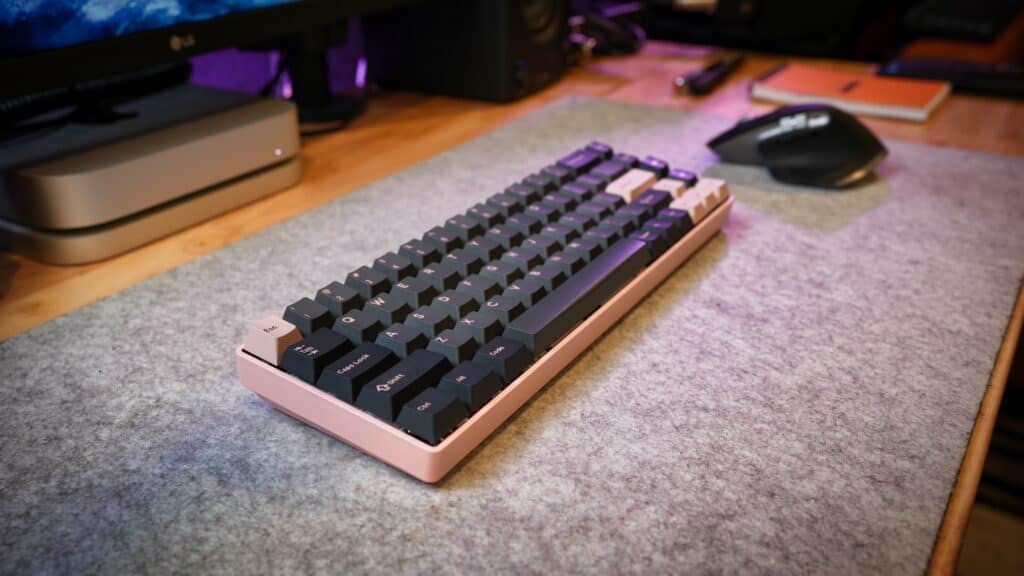 my cheap felt desk mat on amazon
Grab some custom keycaps
90% of mechanical keyboards use “MX-style switches,” which means it’s super easy to purchase 3rd party keycaps!
There are thousands of different designs (and keycap profiles, i.e. shapes), allowing you to go deep into customization.
Click here to see our most recommended keycap sets.
Make any keyboard quieter with O-rings
O-rings are tiny little rubbery silicone circles that you can install underneath the keycaps, on top of the switches. These will INSTANTLY dampen the sound of any keyboard. (though they can sometimes feel mushy).
Click here for our guide to installing O-rings.
Try some new switches
If you choose a hot-swap keyboard, it’s easy (and relatively cheap) to install some new switches!
Here’s our best-of list for switches 👇
Mechanical Keyboard Terminology
Here’s a short glossary for common mechanical keyboard words:
Actuation Force
The force required from your fingers in order to actually activate the keystroke. Measured in grams (i.e. 40g is very light, 80g is heavy)
Bottom-Out
The distance (and force) required to press the key down ALL the way to the keyboard. Distance is measured in millimeters. I.e. 4mm bottom out.
Cherry
One of the oldest brand names that make mechanical keyboards and mechanical switches.
Cherry MX style
“MX-style” switches include Cherry switches, as well as “Cherry MX Clone” brands like Gateron, Kailh, Akko, etc. All of these switches fit in the same keyboards, and work with the same keycaps. They’re interchangeable.
Clicky switch
A tactile switch with an additional mechanism that produces a “clicky” sound
Linear Switch
Switches without a tactile bump. They’re generally smoother and softer.
Switches
The mechanical square things underneath each keycap (that physically register keystrokes with the circuit board)
Switch Housing
each switch has a top and bottom housing (that you can take apart to access the inner parts)
Tactile Bump
A small indentation in the switch stem (the colored plastic part that moves up and down) provides a small “bump” your fingers can feel.
Tactile Switch
A switch with a tactile bump (including clicky switches)
“Thoc”
A term used to describe lower-pitched keyboard sounds.
“TKL” Tenkeyless
An 80% or 75% size keyboard that does NOT have a number pad (but still ahs arrow keys, the function row, and home cluster keys)
Mechanical Keyboard F.A.Q.s
Will I annoy everybody around me with the typing sounds?
Although many mechanical keyboards are noisy and loud, they don’t have to be! You can specifically purchase keyboards with silent switches and/or additional foam sound dampening. Also, you can mute keyboard sounds with either a desk mat or by installing O-rings (which works for most mechanical keyboards).
What is the best mechanical keyboard in 2022?
There is no single best keyboard choice, as this comes down to your personal preference, which features you want, and how you plan to use your keyboard! That said, you can’t go wrong with any keyboard from Keychron, GMMK, Epomaker, Ducky, or Durgod. If you’re a gamer, you might check out keyboards from Razer, Corsair, and SteelSeries.
What is the best mechanical keyboard for its price?
The best “bang-for-your-buck” mechanical keyboard is probably the Keychron K2. It has the perfect balance of being wireless and hot-swappable, with plenty of great switch options to choose from. And it comes in under $100.
What is the most satisfying mechanical keyboard?
This largely comes down to what type of switches you prefer to type or game on! Linear switches are often preferred by gamers for their speed and smoothness, but they can be uncomfortable to type on. Tactile and clicky switches are a bit louder and are preferred for work or longer typing sessions. You should also consider your keyboard ergonomics (how tall your keyboard is, and the keycap profiles) in order to have the most satisfying experience. The Durgod Taurus is one of the most satisfying mechanical keyboards I’ve ever typed on.