The 5 Best Clicky Switches for Your Keyboard (2023)

On This Page
Table of contents
On This Page
Table of contents
Want your neighbors to hear you typing? Love the way typewriters sound? You need a clicky switch!
Sadly, GOOD clicky switches are harder to find than linears or tactiles (But even if you DON’T want the constant click, did you know there are plenty of clicky switches that aren’t insanely loud? That can be great for gaming or everyday use?
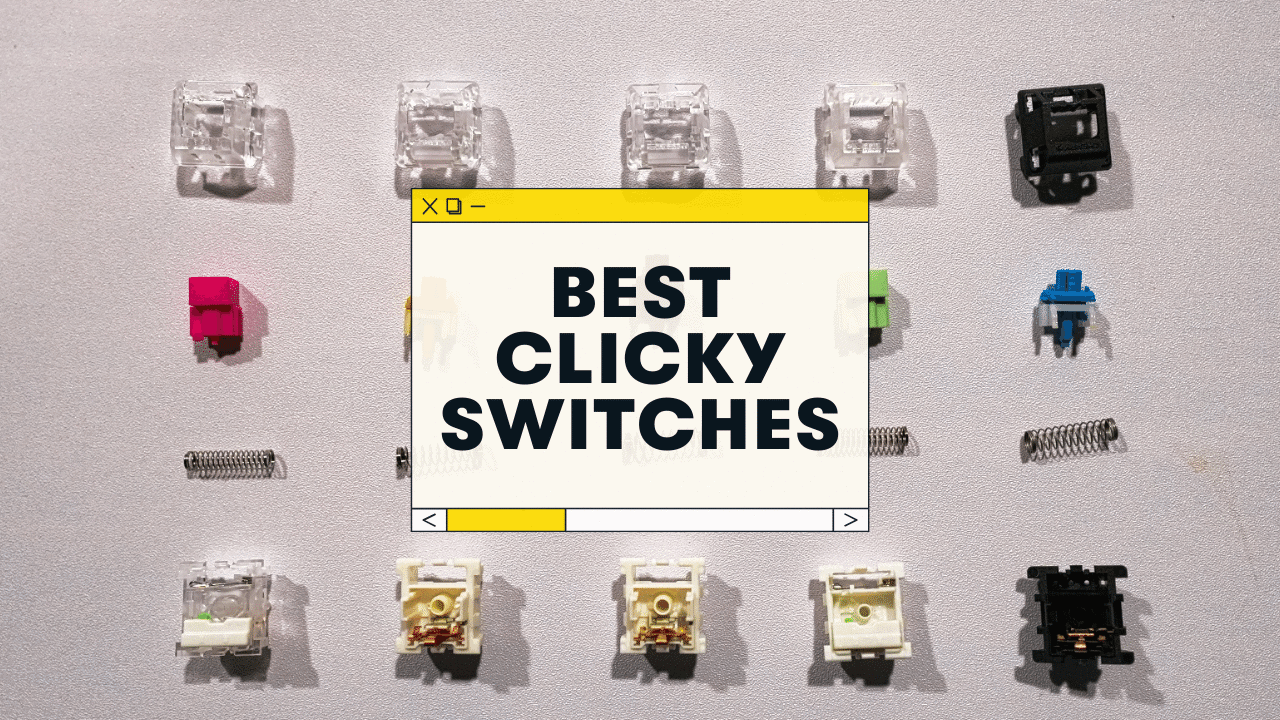
Here are my recommendations for the best clicky switches:
- Kailh Box Pink (Best Overall)
- Kailh Box Jade (Loudest & Thickest)
- Kailh Speed Gold (Best for Gaming)
- Kailh NK Sherbet (Best Premium clicky switch)
- Cherry MX Blue (Best “tappy” and light clicky switch)
Having typed on ALL of these switches, I’m going to go ahead and label myself a clicky switch enthusiast at this point.
(I’ll also share some runner-ups in each category below!)
What are Clicky Switches?
All switches fall under 3 broad categories:
- Linear: The simplest type. Pressing them is a straight, smooth path from the top to the bottom. There’s no tactile or auditory feedback when you press them, and they require the least amount of force to actuate.
- Tactile: These switches provide a tiny “bump” when you press them (generally around the actuation point). This “tactile feedback” helps your fingers feel when the key has actually been registered.
- Clicky: These are a sub-type of tactile switches. There’s the tiny bump, but with the addition of a small audible “click.” These are generally louder.
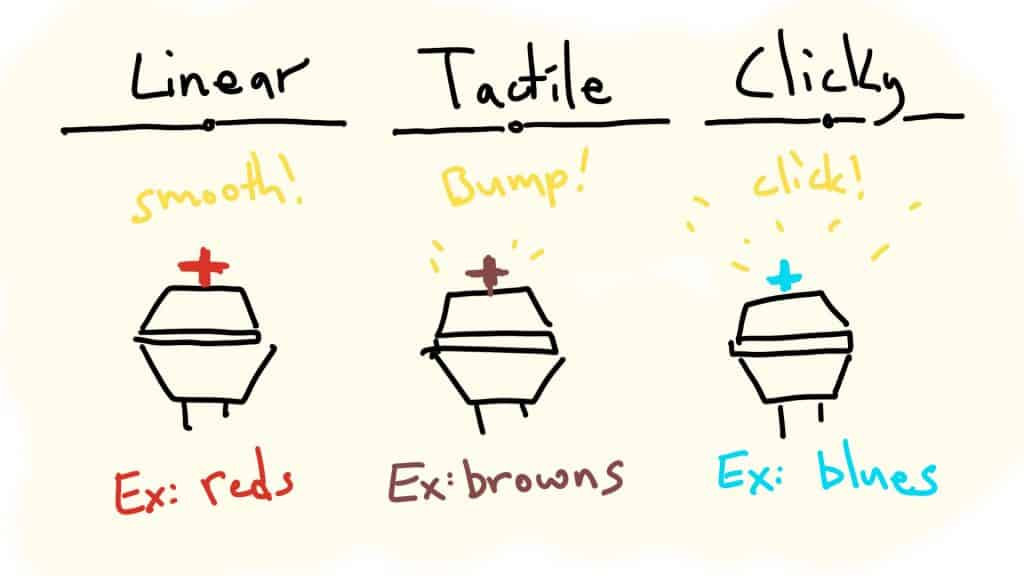
While all mechanical switches will make a “click, clack, or thock” noise when pressed, clicky switches are made to produce an additional higher-pitched “click.”
Check out our related guides here 👇
- Full guide to mechanical switches.
- Best TACTILE switch recommendations
- Best LINEAR switch recommendations
Common clicky switch “colors”
Switches are often referred to in terms of colors (which will usually match the actual color of the switch stem)
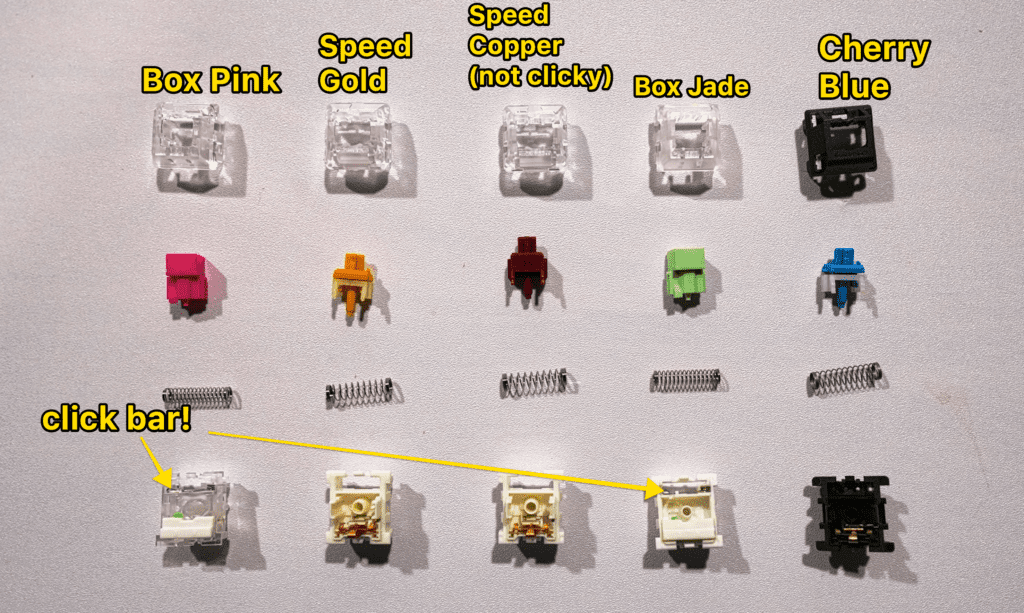
- Blue (most common clicky color)
- Green (Usually heavier than blues)
- Any variation of blue and green (jade, navy, etc)
There are tons more clicky switch variations, but if you see “blue” or “green,” you can be reasonably sure it’s a clicky switch.
How Do Clicky Switches Work?
There are two ways that clicky switches produce the additional “click.”
- Click jacket (most common but least popular)
- Click bar
Click Jacket
Most clicky switches use the click jacket design (Cherry MX Blues, Gateron Blues, Outemu Blue, Razer Greens, etc).
The switch is designed to make the “click” on press down, with no noise on release. They tend to sound “tappier” and less substantial. And for whatever reason, these clicky switches are far less popular these days.
Click Bar
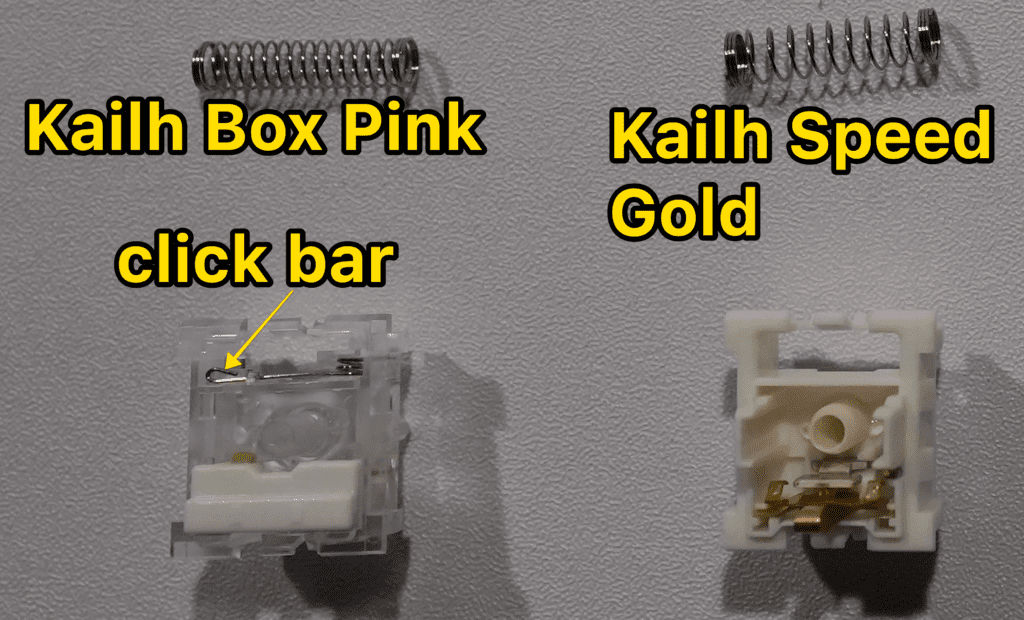
These switches feature a completely separate mechanism within the switch housing (literally a little bar) that produces the click noise (on key press AND on release!). Most Kailh clicky switches (below) use click bars.
The click bar switches sound heavier, crunchier, more metallic, and in my opinion, way more satisfying!
The Best Clicky Switches for Your Keyboard:
I own all of these, and generally recommend them! But depending on how you use a keyboard (gaming? work typing? both?), I’ll give you the best option!
Kailh Box Pink - Best Overall
Click mechanism
Click jacket (normal clicky switch)
Actuation Force
60g (medium)
Sound
light, “tappy,” higher pitched
Feel
medium tactile
Cherry has always been the gold standard for switches, and the Cherry blues are the quintessential clicky switch—that many people dislike. 🤷♂️
They’re going to have a COMPLETELY different sound and feel than all the switches above.
- Tappy and high-end sound
- Light and airy feel
- Click Jacket (no click bar)
- Available in see-through clear housing (for RGB) and opaque black
Here’s a quick sound test:
Cherry Blue sound test
Although the die-hard mechanical keyboard community has moved AWAY from standard clicky switches like this, I still don’t mind them (and if you enjoy the sound, hey, why not?? They’re also quite affordable.
Gateron Blue (and other Cherry MX clones): Best Budget clicky switches
There are loads of companies making switches nearly identical to Cherry, and we call these “clones.”
- Gateron Blues
- Gateron Greens (a bit heavier than blues)
- Outemu Blues
- Razer Green
These are all going to sound and feel MOSTLY like the Cherry MX blues, etc—but often made with slightly cheaper materials, etc.
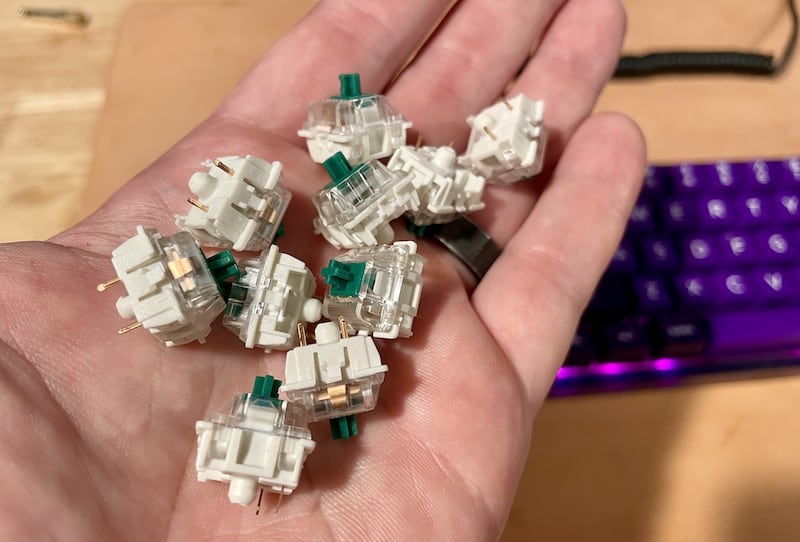 I picked up some Gateron Greens for dirt cheap
My first mechanical keyboard had Gateron Blues, and I actually quite liked them.
I HIGHLY recommend checking out some sound tests—and going with your instincts! Just because you saw some YouTuber trashing Cherry Blues, etc, doesn’t mean they’re not for you.
(But that said, all the switches with the click bar mechanism ARE a lot more satisfying to type on, even though they’re pricier.)
Honorable Mentions: Kailh Box Pale Blue, Kailh Box White, Kailh Box Navy
These switches are all going to be very similar…
- Kailh box design (dustproof and water-resistant to a degree)
- Click bar mechanism
- Good quality
- Decent price
Switch
Notes
Kailh Box Pale Blue
60g actuation force (medium heavy, slightly more than Jades and Pinks)
Kailh Box White
45g actuation force (the lightest out of the bunch!)
Kailh Box Navy
75 actuation force. The heaviest of the bunch! And 90g bottom-out, that’s quite stiff!)
And while I think the Box Pinks and Box Jades are probably “better,” the difference is really small—and some people prefer the sound and feel of these!
Should you use clicky switches?
If you’re new to the mechanical keyboard world, you might be wondering…should I REALLY go with a clicky switch? Will I hate it?
But clicky switches have some nice benefits:
PROS ✅
- The click helps you hear when the key has been activated. Great for typing.
- The click bar switches are REALLY unique and satisfying
- You can totally find more MUTED clicky switches that won’t annoy (Kailh Speed Gold, Kailh Box Pink)
- If you DO love loud keyboards, clicks are for you!
CONS ❌
- Yes, most clicky switches are louder
- If you do a ton of gaming, you’ll want to avoid the heavier, louder clicks probably
- If you enjoy “normal” clicky switches like Cherry MX Blue, Gateron Blue, etc, you might be judged by other keyboard enthusiasts
That last one is dumb, for sure, but it WILL happen.
The bottom line: I recommend you check out a few sound tests for the clicky switches you’re thinking about buying—and just try them out! You can always order a SMALL packet (10 switches, etc, if you can find it) to save money before you purchase 100+ switches!
Conclusion: Which clicky switch should you get?
If you enjoy the tactile bump and want a distinct sound, clicky switches are for you.
- If you have heavy fingers, try the NK Sherbet
- If you MOSTLY game, I recommend the Kailh Speed Gold
- If you do a bit of everything, I recommend the Kailh Box Pink
- If you want the loudest clicky switch possible, I recommend the Kailh Box Jade
- If you like the old-school typewriter sound (tappy and high-end), try Cherry MX Blues
I hope that helps!
Clicky switches can be some of the most satisfying switches to type on—as long as you do your homework and find what works best for you!
Click Switch F.A.Q.s
Which clicky switch is the best?
This will depend on your preferences as a user! If you enjoy louder clicks and a more satisfying “crunchy” feel, check out the Kailh Box clicky switches (Kailh Box Jade, Pink, or Navy). If you want a muted sound and “fast” feel for gaming, check out the Kailh Speed Gold (or Speed Bronze). If you want “tappy and light” that sounds like an old-school typewriter, stick with Cherry MX Blue switches (or Gateron Blue).
Are clicky switches better?
Not necessarily. There will always be pros and cons between clicky, tactile, and linear switches—depending on your needs! Clicky switches are NOT inherently better for some reason, just DIFFERENT. If you prefer to hear every keypress and literally “feel” when the keys have been activated a little easier, a clicky switch can be perfect for you. Just know that MOST clicky switches are a bit louder (and can annoy coworkers or your spouse).
What are the fastest clicky switches?
If you’re looking for a “fast” clicky switch, I recommend either the Kailh Speed Gold or Kailh Speed Bronze. Both of these switches offer a medium-light spring resistance (50g), as well as shorter activation distances (Speed Gold is 1.4mm to activate, Speed Bronze is 1.1mm). Although the actual speed difference is going to be small, every little bit helps when you’re trying to type or game fast! The Kailh speed switches also have a pleasant “muted clicky” sound, which is why I recommend them over other brands (like Cherry, Gateron, or Razer).
Are clicky switches good for gaming?
Although most gamers prefer linear switches (which can be smoother and faster), there are several clicky switches that perform quite well for gaming! The Kailh Speed Gold and Kailh Speed Bronze are both “fast” clicky switches with short activation distances, making them great for gaming. (they’re quite muted too, which is more similar to standard linear switches). But we generally do NOT recommend other clicky switches for gaming, as they’re generally less responsive, fast, and smooth—and the added “click” noise could be annoying when gaming.
What is the loudest and clickiest switch?
In our testing, the Kailh Box Jade switches were the loudest. The click bar mechanism produces a “click” both on the keypress AND release, giving them a “crunchy” and “metallic” sound. And while the Kailh Box Pink and Kailh Box Navy switches also have this mechanism, the Box Jades still felt the loudest (and most satisfying to type on)!
How do clicky switches feel?
Technically, click switches are simply tactile switches with an added “click.” The “click” function doesn’t really alter the feel of typing or gaming. These tactile switches (both with the click and without) offer a tiny “bump” on keypress that lets your fingers know that the key has been activated. If you’re new to mechanical keyboards, you might not even notice the bump at first! It depends on how hard you type, and how fast. It’s only when directly comparing tactile and clicky switches to LINEAR switches that you can start to notice the distinct “tactile feedback.” Linear switches are completely smooth, and clicky and tactile switches have the tiny bump.