The 9 Best Low-Profile Mechanical Keyboards [2023]

![The 9 Best Low-Profile Mechanical Keyboards [2023]](/images/best-low-profile-mechanical-keyboard/featured.png)
On This Page
Table of contents
On This Page
Table of contents
Want to experience the glorious pleasure of typing & gaming on a mechanical keyboard—but don’t wanna strain your wrist & fingers? 🥲
I’ve typed on 30+ mechanical keyboards, and I’ve chosen 5 SOLID options for the best low-profile mechanical keyboard award.
Here are the main factors I considered:
- Height (duh)
- Build quality
- Cost
- Are they hot-swappable?
- Features like wireless, RBG backlighting, media keys, etc
Since there’s no “one clear choice” for a low-profile keyboard, I’ve created a few “best of” categories that’ll help you find the perfect keyboard! 😎
More clacking. Less wrist pain.
Top Recommendations for a Low Profile Mechanical Keyboard:
What is a low-profile mechanical keyboard?
A low-profile keyboard is obviously defined by its total height off of your desk. Most non-mechanical keyboards are fairly low profile already, but a huge majority of MECHANICAL keyboards are NOT low-profile!
Keyboard height depends on the height of the case, the type of switches, and even the height of the keycaps!
If you aren’t used to the height, you might find it difficult to type and it might even hurt your wrists or fingers!
Logitech G915 - Best Overall Low-Profile Keyboard
- Height: ✅ 22mm(!)
- Cost: Expensive! 🟡 $150ish for TKL version, up to $250 for other versions
- Hot-swappable? ❌ No.
- Backlighting? ✅ Yes
- Wireless? ✅ Yes.
Yes, it’s pricey! But it’s also fancy (and comes in a variety of sizes and switch types).
And when you add in…
- fast wireless capabilities
- extra media keys (and extra gaming keys over to the left on the keyboard)
- Linear, tactile switches, and clicky switch versions
- 100% full-sized and 80% TKL versions
- Lightsync RBG (fancy backlighting) and Logitech software (some people love it, some hate it)
You can see why this wins the best all-around low-profile keeb.
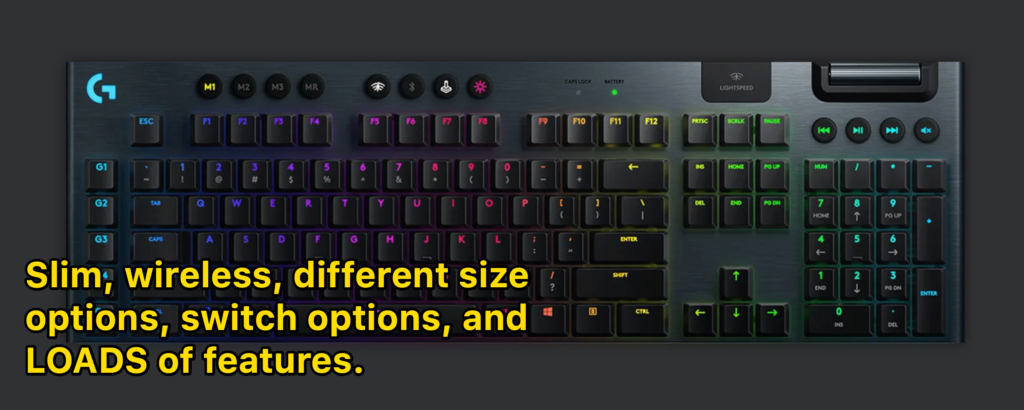
If money isn’t a factor, this keyboard is built like a TRUCK and is fantastic.
That said, money IS a factor for most of us, and luckily there are other great keyboards for a fraction of the price ;)
Corsair K70 - Best for Gaming (And Best Full-Size Keyboard)
- Height: ❓35mm-ish. Depends on what keycaps you put on!
- Cost: 🟡 $100ish
- Hot-swappable? ✅ Yes
- Backlighting? ✅ Yes
- Wireless? ❌ No
Technically, the GMMK is NOT a low-profile mechanical keyboard.
But if you wanted the ability to really customize your keyboard (by playing with different MX-style switches, modding, etc)—this is one of the lowest “normal” mechanical keyboards.
You could easily order some lower-profile KEYCAPS to put on it, and it’d be plenty low!
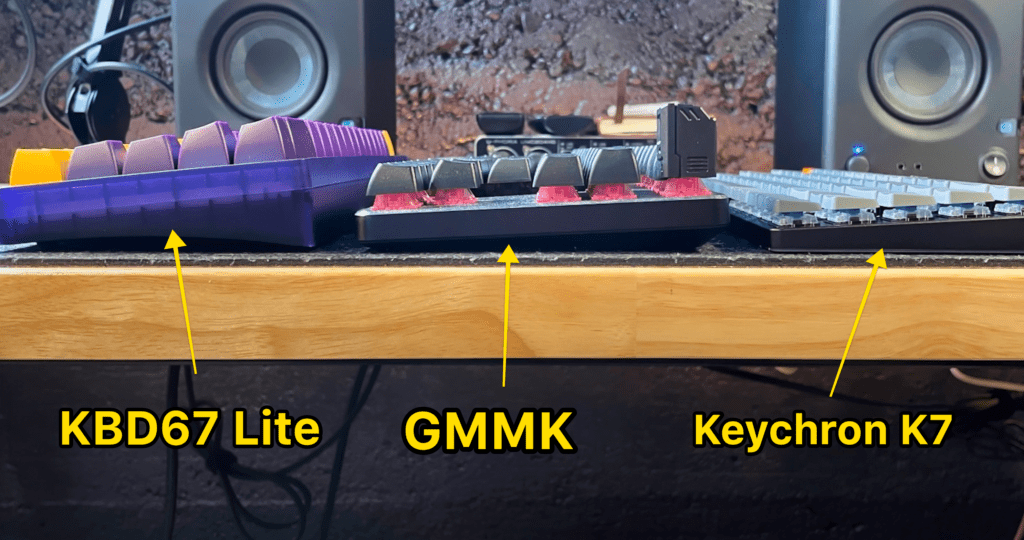 Look at the FRAME height of the keyboards
Buying Guide: How to Choose a Low-Profile Mechanical Keyboard
If you’re ready to jump into the mechanical keyboard world, here are the top factors you should consider when shopping around!
Keyboard size
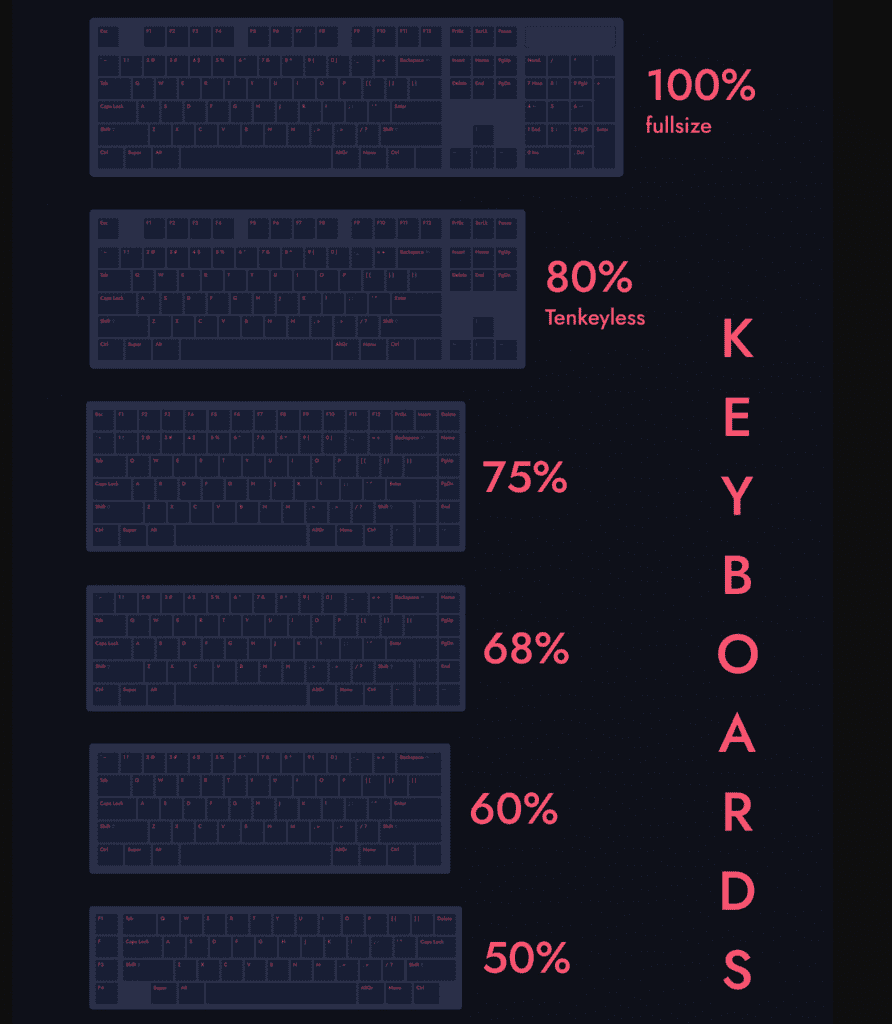 the most popular keyboard sizes
The first thing to look for is how big of a keyboard do you want? If you need the number pad (tenkey), you’re going to want a 100% full-size keyboard.
If you never use the numpad and want to save a bit of space on your desk, grab a 75% or 80% keyboard.
Of course, they make a ton of different smaller sizes as well! Click here to check out our full guide to keyboard sizes.
Keyboard layout
The most common keyboard layouts are:
- ANSI - common to the U.S.
- ISO - common to Europe
- JSI - common in Japan
Some of your common keys (Enter, Shift, etc) are going to look different based on your layout! Check out our guide to keyboard layouts here to make sure you’re purchasing the right layout.
Hot-swappable (can you remove the switches without desoldering?)
“Hot-swappable” just means you can easily pull out the switches (the part underneath the keycaps) WITHOUT taking the entire keyboard apart and de-soldering the switches.
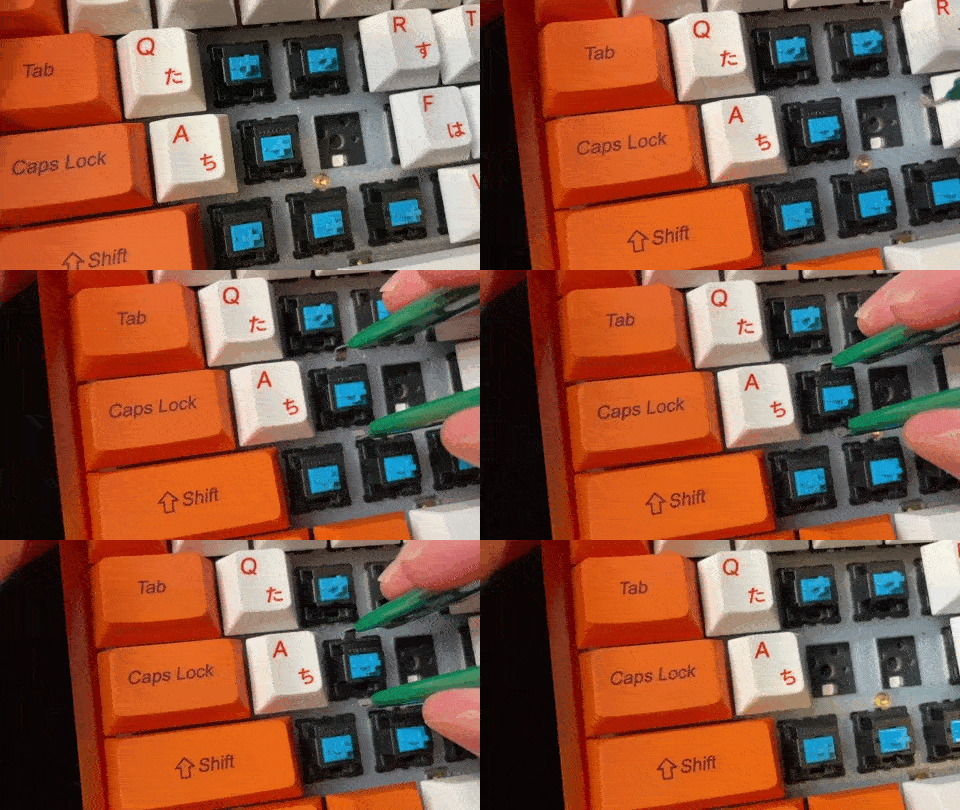 remove a switch from my hot-swappable keyboard
I really recommend hot-swappable keyboards.
But for some reason, it’s tough to find low-profile keyboards in a hot-swappable option. Probably because many of them use low-profile switches and assume you’re not going to swap them out for something different.
Backlighting
Do you need that fancy RBG light show? The good news is that 95% of mechanical keyboards come with some sort of backlighting these days.
Most even have keyboard shortcuts pre-programmed into the keyboard that allows you to change RBG settings, patterns, and colors!
Wired vs Wireless
You’ll want to decide if you need your keyboard to be Bluetooth/wireless, or if you don’t mind the cable.
Most wireless keyboards can be connected as well.
Switch Color
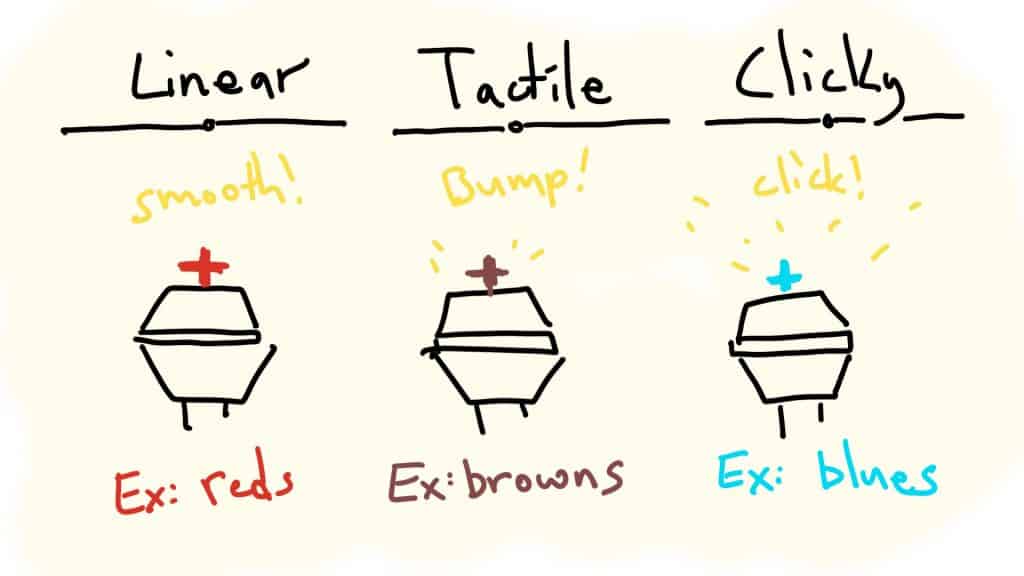 The 3 switch types and the most common colors!
Keyboard switches are the devices underneath the keycaps that make mechanical keyboards, well, mechanical!
Check out our full guide to keyboard switches here.
Most low-profile mechanical keyboards are actually quite limited with switch choices, as they usually come with specific low-profile switches.
“Normal” mechanical keyboards come with “normal” MX-style switches (of which there are thousands of different options).
The design! Choose a keyboard that looks cool to you.
There’s no right answer here—it’s all about personal preference!
Honestly? I think most beginners should be buying keyboards based on the way they look! It’s easy to get caught up in keyboard features, but the most important thing is that you have fun typing and playing on your mechanical keyboard!
Low-Profile Keyboard FAQ:
What’s the best low profile mechanical keyboard for typing?
If you spend a lot of time working on your keyboard, there are two important factors to consider when choosing a low-profile keyboard: height & keyboard size. (although if your keyboard is a bit too high and you really love it, you can always purchase a wrist rest separately. It will make your typing experience more comfortable!)
Be sure to grab the right size keyboard for your needs.
- 100%: If you need the tenkey number pad, The Corsair K70 is a great choice
- 80%: If you want to save a bit of space but still want arrow keys and function keys, check out the Cooler Master SK630
- 60%: If you want a compact keyboard for travel, try the Keychron K7!
Are low-profile mechanical keyboards better?
While low-profile keyboards don’t offer any additional features than “normal” height keyboards, they can be a better choice for many people! It all comes down to comfort and feel when you’re typing or gaming.
If you have large hands or don’t mind using a wrist rest, you might be perfectly fine and comfortable typing on a regular mechanical keyboard. If you feel any discomfort whatsoever in your wrist or fingers, you might look into a low-profile keyboard.
They can also reduce the symptoms of Carpal Tunnel.
Does Ducky have a low-profile keyboard?
No! Ducky does not currently make a low-profile keyboard. Several years ago, Ducky teased the addition of the Ducky Blade Air keyboard, which was low-profile, but the keyboard never actually made it to release.
See this post as well -> the best mechanical keyboard for big hands!
Want a little more help purchasing a keyboard? Check out the video buying guide below!