Best Mechanical Keyboard for Big Hands (9 Choices for 2023)

On This Page
Table of contents
On This Page
Table of contents
It doesn’t matter whether you’re gaming or working…
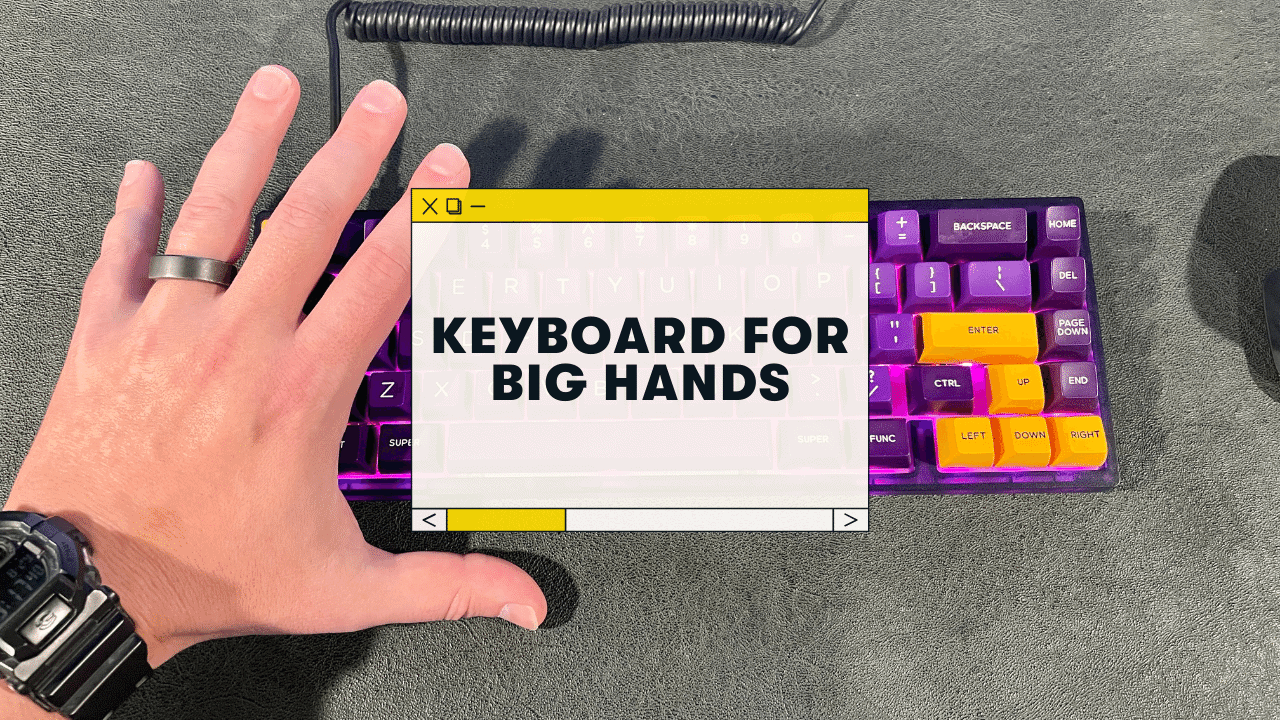
There’s nothing worse than hitting the WRONG key on your keyboard because you have big hands! (Or worse, suffering from finger or wrist pain).
As a keyboard nerd with large hands and long fingers (I’m 6’4” and 230lbs and spend all day at my computer), I feel this pain first hand! (get it???)
My top recommendations for the best mechanical keyboard for big hands:
Below I’ll give you even MORE options—depending on what kind of mechanical keyboard you’re looking for.
See also -> Best WIRELESS mechanical keyboards!
Mechanical Keyboard Buying Guide (For People With Large Hands)
Before I show you individual keyboards, here are the top factors you should consider when shopping for a keyboard:
Keycap Profile
This might surprise you, but the shape of the keycaps (the top part of the keys that your fingers actually touch) plays a huge difference in how it feels to type/game!
They make keycaps in…
- Different heights (low-profile or not)
- Different shapes (flat on top or curved?)
- and more.
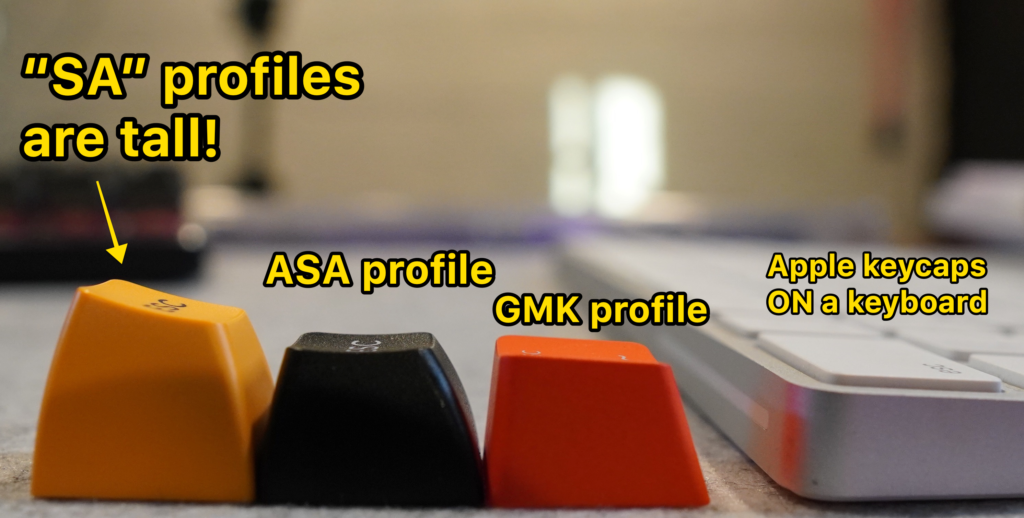 You might find taller profiles more comfortable, but maybe not! It’s worth checking…
Smaller hands and fingers should probably shy away from taller keycaps (like SA keycaps), but I’ve found I have a bit more accuracy on the taller keycap profiles! Click here to read our full guide to keycap profiles.
Keyboard Size
Keyboard size refers to “how many keys are on the keyboard, not the actual scale of the keyboard size.
Believe it or not, they don’t make keyboards larger—just with more keys.
- 100% Full-size = a complete keyboard with a 10-key numberpad
- 80% and 75% keyboards = Same thing but with no numberpad
- 60% keyboard = No numberpad, no function row, no “home cluster” i.e. Home, End, Delete, etc.
That said, if you have larger hands, you’ll probably want to avoid the smaller sizes (40% and 60%), simply because your hands will have less space to work with.
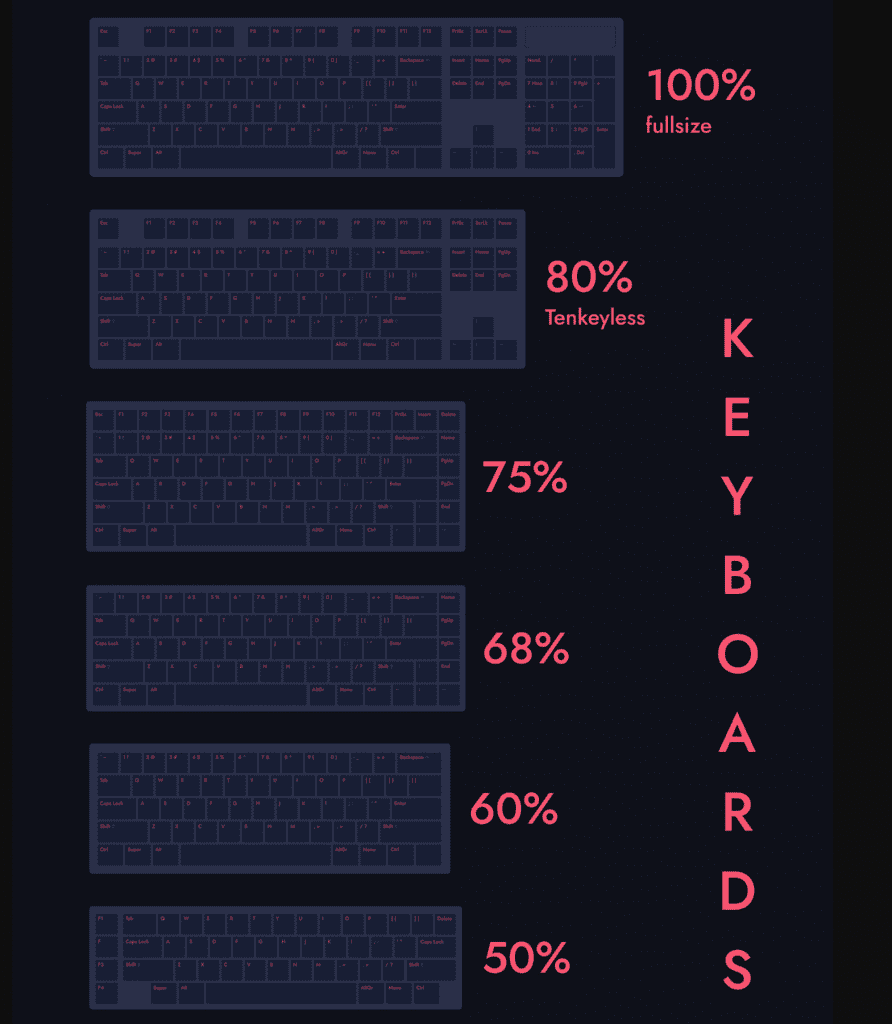 the most popular keyboard sizes
Read more about keyboard sizes here. I recommend 75% or 80% to start with (or if you NEED the numberpad, a 100%).
Keyboard Height
This is the actual height of the keyboard, not including the keycaps.
You might think big hands would prefer a taller keyboard, but that’s not always the case! You also have longer fingers, and a low-profile keyboard might be more comfortable.
I will discuss keyboard height for the keyboard recommendations below.
Switches
“Switches” refer to the mechanical switches underneath the keycaps, and they come in 3 basic types:
- Linear (Red, Yellow, Black colors): The simplest type. Pressing them is a straight, smooth path from the top to the bottom. There’s no tactile or auditory feedback when you press them, and they require the least amount of force to actuate.
- Tactile (Brown, clear): These switches provide a tiny “bump” when you press them (generally around the actuation point). This “tactile feedback” helps your fingers feel when the key has actually been registered.
- Clicky (Blue, green): These are a sub-type of tactile switches. There’s the tiny bump, but with the addition of a small audible “click.” These are generally louder.
You can probably choose whatever switch you like, regardless of hand size.
Wireless, RGB, Design, and Price
These are the features that all mechanical keyboard shoppers should consider (not just folks with big hands).
- Wireless - do you need Bluetooth? Or it wired-only ok?
- RGB - Almost all mechanical keyboards offer RGB backlighting these days, and you can also turn the lighting off if you don’t like it!
- Design - Mechanical keyboards are produced in all shapes, sizes, colors, etc! Choose a design that makes you happy!
- Price - Obviously you’ll want to consider your budget.
The Best Mechanical Keyboards for Big Hands:
With all that said, let’s move on to the recommendations!
Best Low-Profile - Logitech G915
- Height: ✅ 22mm(!)
- Cost: Expensive! 🟡 $150ish to $200, depending on what version you get
- Hot-swappable? ❌ No.
- Backlighting? ✅ Yes
- Wireless? ✅ Yes.
If you have big hands, I’d seriously consider looking at a low-profile keyboard. There are tons of them, but the Logitech G915 is in a league of it’s own!
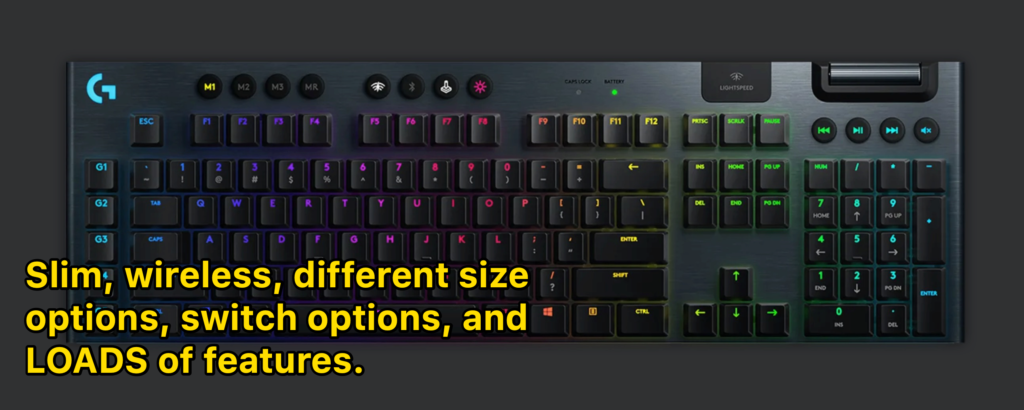
- fast wireless capabilities
- extra media keys (and extra gaming keys over to the left on the keyboard)
- Linear, tactile switches, and clicky switch versions
- 100% full-sized and 80% TKL versions
- Lightsync RBG (fancy backlighting) and Logitech software (some people love it, some hate it)
YES, it’s expensive, but it’s one of the best mechanical keyboards period (outside of $500+ custom mechanical keyboards)
Keychron K7 - Runner-up low-profile great for travel
It’s worth mentioning the Anne Pro 2, which is a bit cheaper. It’s another community favorite 60%, and unlike the Ducky, it’s wireless!
Not quite as many customization options, though.
Tips for Typing Comfortably (with larger hands)
No matter which keyboard you get—here are a few extra tips to consider for more comforta and accuracy at your computer:
Consider a wrist rest
Many of the recommended keyboard above come with a wrist rest, but you can obviously purchase them separately (they sell different lengths that will line up with your keyboard length!).
These palm wrists will elevate your hand position and (usually) lead to more comfort, though they take some getting used to.
Maintain good posture at your computer
Regardless of hand size, posture makes a huge difference!
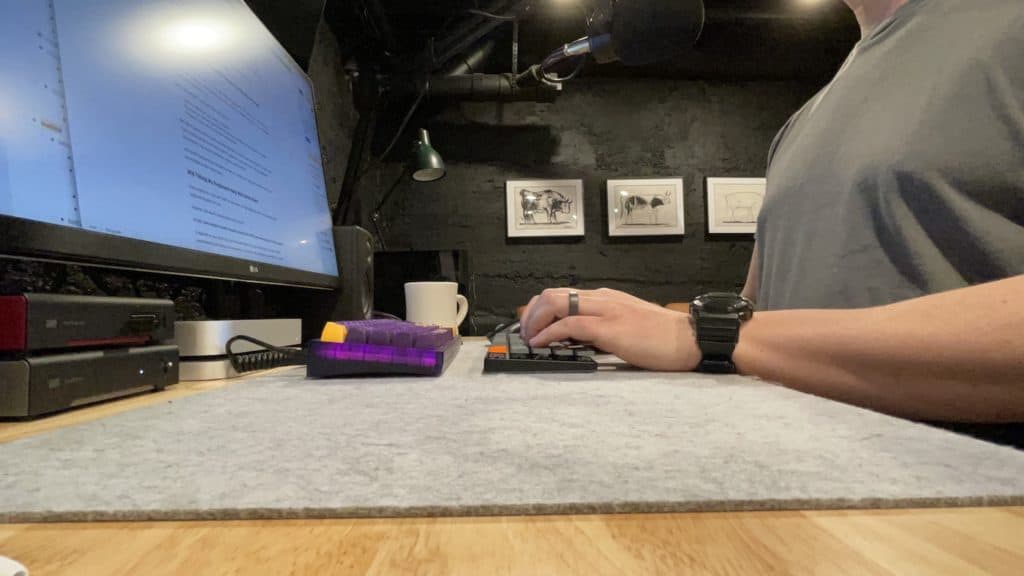 Sit up, with arms bent at roughly 90 degrees
Try to keep your back straight, and at a height where your arms are relaxed at ROUGHLY a 90 degree angle!
Consider Tactile Switches
Tactile switches (brown, clear) have a tiny tactile “bump” during the keystroke that help your fingers understand when the key has been activated.
Over longer typing sessions, this can actually be more comfortable for your hands and fingers!
If you ONLY game—you might choose linear switches (red, black, yellow), but just about anybody who does more work on a computer should start with tactile or clicky switches (for the tactile bump).
Summary: What’s the best mechanical keyboard for big hands?
Although they don’t actually make “bigger keyboards” where each key is bigger by scale, you can consider a few factors that’ll give your big hands the best experience, including keyboard height, keycap profile, and keyboard size (layout).
- If you’d a low-profile keyboard, try the Logitech G915
- If you’re on a strict budget, consider the Tecware Phantom
- If you’d like a more muted, silent keyboard, the Corfsair Strafe Mk.2 is a great choice!
Other notable mentions are the Keychron K2, Ducky One 2 Mini, and the Kinesis Freestyle Edge (ergonomic).
Happy clacking, my heavy-handed friends!
Frequently Asked Questions
What is the largest keyboard size?
A full-sized keyboard (often referred to as 100%) is the largest mass-market keyboard size, complete with arrow keys, a function row, “home cluster,” and a 10-key numberpad. However, there are other larger keyboards (with additional macro or media keys), though they are extremely rare (and are often custom-built).
Are ergonomic keyboards good for big hands?
Although each person is differernt and will find different keyboard setups more comfortable than others, ergonomic keyboards do offer a hand position that might be more favorable if you have big hands! For one, the hand positions should lead to less wrist and finger strain overall, but on an ergonomic keyboard, your hands are physically spaced farther apart, which can be great for larger hands.
What is the best size keyboard for typing for people with big hands?
Since smaller “compact” keyboards require the use of function-based shortcuts (since they don’t have dedicated arrow or function keys, for example), people with bigger hands might find this typing experience uncomfortable. Larger keyboard sizes (75%, 80% TKL, and 100% full-sized) might mean that your hands have to move a bit more (to reach certain keys), but your typing experience will likely be more accurate if you have big hands.
Is a 65% or 60% keyboard better?
Both 60% and 65% keyboards are consider “compact,” meaning they don’t have a 10-key numpad or the function row. However, 65% layouts often have dedicated arrow keys and a “home cluster,” i.e. the Home, End, and Delete buttons. If you use arrow keys a lot, you will likely prefer a 65% size keyboard.
Is there a keyboard for fat fingers?
Although you can easily find keyboards that offer “large print” keycaps, this is only a visual aid, and not actually different from a normal keyboard in terms of physical keyboard or keycap size. However, people with fat fingers might consider switching to a mechanical keyboard (where they can easily customize the feel of their keyboard to better suit their hands), or an ergonomic keyboard (where your hands rest at a different angle than non-ergonomic keyboards)