The 7 Best Mechanical Keyboards for DOTA 2 (2023)

On This Page
Table of contents
On This Page
Table of contents
Whether you’re looking to join the Dota 2 pro circuit, or just chillin’ in solo queue…
Your gaming gear can make a difference in your play!
We’ve researched several of the top Dota pros & teams to see what keyboards they’re playing on, so here are the best keyboards for Dota 2:
- Best Overall - Corsair K70 TKL
- Best Silent - Corsair Strafe Mk.2
- Best Budget - Tecware Phantom
- Best Wireless - Logitech G915 TKL
- Best Compact - Ducky One 2 Mini
As a keyboard fanatic AND avid gamer myself (Dota, Lol, and other mobas are my jam!), I’ll give you several other excellent keyboards, too!
Related: Check out our recommendations for gaming keyboards here.
First, What Is a Mechanical Keyboard?
Mechanical keyboards are computer keyboards that use a physical switch underneath each key, rather than the cheap rubber membranes found in most “regular” keyboards. These keyboards are going to feel and sound different from common keyboards, and are preferred by gamers of all types (though they work well for work and general use, too!)
You can even customize the look, feel, sound, size, and more.
These mechanical switches come in three broad types:
Switch Type
Common Colors
Feel
Noise Level
Used for
Linear
Red, Black, Yellow
Smooth, no bump
Soft to medium
Mostly gaming
Tactile
Brown, Clear
Has tiny bump
Medium
Gaming, Typing
Clicky
Blue, Green
Has tiny bump
Medium to loud
Gaming, Typing
Is a Mechanical Keyboard Good for Dota 2?
First, you’ll see nothing but mechanical keyboards on this list, and for a good reason: they’re generally preferred for gaming—including Dota.
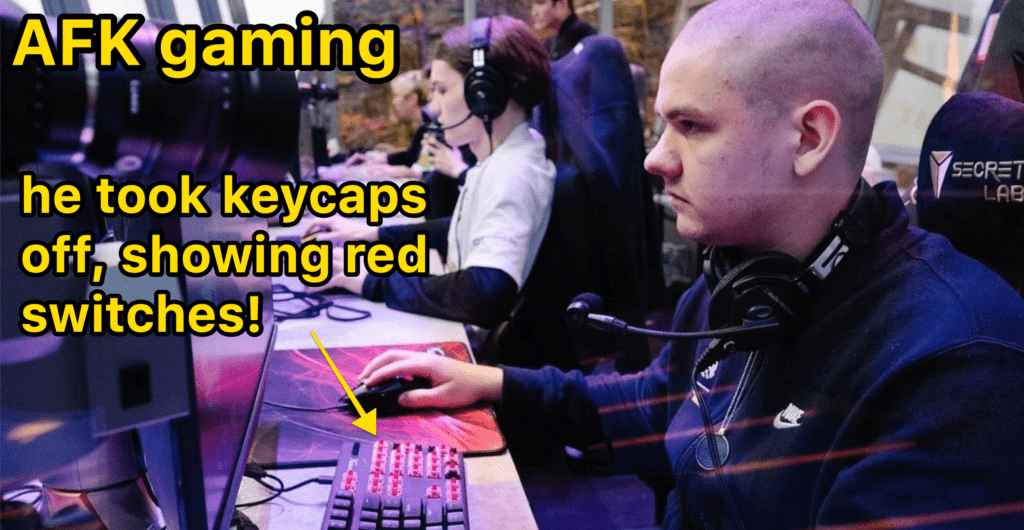
All of the top Dota 2 players in the world use mechanical keyboards, for a few reasons:
- They can help with accuracy (the most important thing w/ Dota 2 I’d argue)
- They can be a tad bit faster (more important for other games, but still nice)
- They feel & found better, and are more fun.
That last one isn’t necessary for great Dota play—but rest assured, mechanical keyboards are better than normal membrane keyboards!
The Best Keyboards for DOTA 2:
Let’s dive in. I’ve categorized these keyboards to help you find the features that matter to you most!
But honestly, just about any high-quality mechanical keyboard (read: not SUPER cheap), will serve you well for Dota 2 play—so pick the keyboard with the features you think you’ll USE the most.
Best Overall – Corsair K70 MK.2 (TKL)
- Cost: ✅ $90
- Wireless? ❌ No
- Hot-swappable? ❌ No
- Customization Options: ✅ yes, but costs more
In most respects, the SteelSeries Apex 5 isn’t any “better” than the keyboards listed above, but it DOES have a fancy OLED screen, right there on the keyboard.
You can customize this little display with GIFs, game info, volume display, discord messages (COOL), and more.
It also comes with a detachable (magnet) wrist rest, and “hybrid” switches (though there are some mechanical options as well, they might cost more).
For example, if you want the same keyboard with mechanical blue switches, the price jumps up to $150+. Odd.
Mechanical Keyboard Buying Guide
If you’re going to up your Dota 2 game and purchase a mechanical keyboard, there are few features you might want to pay attention to 👇
Size/Layout:
First, choose your keyboard size. Many brands have different sizes of the same keyboard
Hot-swappable:
We definitely recommend purchasing a keyboard that’s hot-swappable, even if you don’t plan on changing switches. You might want to in the future!
Color of the case:
You can swap out the keycaps if you want to, but not the base of the keyboard. Pay attention to the base color (white or black are the most common in pre-built keyboards)
Wired vs wireless:
Not all mechanical keyboards are wireless (Bluetooth or using a 2.4ghz USB dongle). If you prefer wireless, be sure to check! (there are also plenty of fancy and colorful cables available!)
Switches
Next, choose your switches! (see the switch section above)
Backlighting
Do you care about the white or RGB (stands for Red Green blue, meaning your keyboard can show fancy light shows underneath your keycaps!). If you get a keyboard with backlighting, you can always turn the lights off (refer to the instruction manual for your keyboard)
Software
Some keyboard brands have their own accompanying software, where you can create custom macros, change key assignments, and customize RGB lighting from your computer. Most people don’t need this though!
N-key rollover
Just about all gaming keyboards have N-key rollover and anti-ghosting features—meaning you can press 2 keys down at the same time (vital for gaming)
Fancy Features
Want USB ports on your keyboard (can be handy for your mouse or other stuff). Or how about volume/scroll wheels? These are required, but nice to have!
Summary: What’s the best keyboard for DOTA 2?
If you’re looking to take your MOBA play to the next level, you’ll want to stick with a mechanical keyboard and make sure to choose the extra features that best suit your needs.
- If you want a solid TKL with plenty of features, grab the Corsair K70 TKL
- If you want a more silent sound, try the Corsair Strafe Mk.2
- If you’re on a strict budget, the Tecware Phantom is solid!
- If you want a premium wireless pick LOADED with features, get the Logitech G915 TKL
- If you’d like to save desk space, grab a 60% Ducky One 2 Mini
But the bottom line is: choose the keyboard that makes you happy! Don’t be afraid to consider design, RGB, and other fun features (even if they don’t directly improve your Dota 2 game).
Now go work on your MMR!
Frequently Asked Questions
What is the best keyboard for gaming in 2023?
Although this will come down to the features you need, we recommend sticking with a mechanical keyboard (as opposed to a “membrane” or “normal” keyboard). Keyboards like the Corsair K70, Logitech G915, or Razer BlackWidow are going to give more accurate keystrokes, as well as a better sound and feel.
Is a mechanical keyboard better for gaming?
Although the benefits are relatively small, yes! Mechanical keyboards do provide some benefits for gamers, namely accuracy, speed, and comfort for long gaming sessions. But even though they can cost more, mechanical keyboards also offer a better feel, unique sound, and far more customization options.
What keyboards do DOTA players use?
Almost all “pro” Dota 2 players use mechanical keyboards, often from top brands such as Logitech, Razer, Steelseries, and Corsair. These larger keyboard companies often sponsor their teams. If you’re looking for a solid mechanical keyboard for Dota 2, we recommend either the Corsair K70 or Logitech G915 Lightspeed.
Related posts if you’re interested in more keyboards 👇